

Unlinking detaches a linked Google Slides™ presentation from your Google Docs™ source.
When to unlink
You may want to unlink when:
- The current linked destination is no longer the one you want to update.
- You want the next sync to create a brand-new destination presentation.
Find the linked presentation
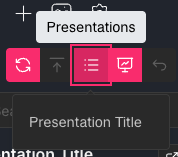
Click the Presentations button and find your presentation in the list.
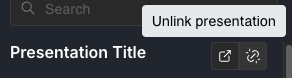
Click Unlink presentation
Use the Unlink presentation action on that presentation group.
Confirm unlink
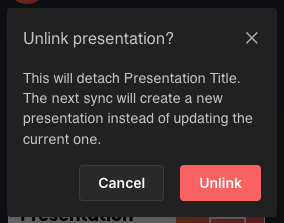
Confirm the action in the modal.
After unlinking, the next sync for that source creates a new presentation instead of updating the detached one.
Important notes
- Unlink does not delete your Google Docs™ source content.
- Unlink does not delete the existing Google Slides™ file.
- It only removes the sync connection for future updates.
See also How to Sync Google Docs to Google Slides.